Maze Commands
Every maze-* command shipped on the system, in one place. Where a GUI exists,
the GUI is usually the recommended route. Not every command has a --help
flag — and one of them (maze-panic) acts the moment you run it, so read its
row before trying it.
Emergency
| Command | What it does |
|---|---|
maze-panic | Panic button (also Ctrl+Alt+P and the tray widget). Cuts the network, locks the screen, wipes system logs, shell histories, recent files and clipboard. Takes no options — any invocation, including maze-panic --help, triggers it. See Kill Switches. |
maze-panic-restore | Brings the network and radios back after a panic. |
maze-killswitch | Kill switches from the shell: maze-killswitch status, maze-killswitch <camera|microphone|bluetooth|wifi|usb> <on|off>. |
Diagnostics and health
| Command | What it does |
|---|---|
maze-doctor | Full, read-only health report (18 sections). --deep adds a file check of every package (pacman -Qkk), --no-color gives plain text for bug reports. |
maze-boot-check | Verifies the boot chain end to end (11 checks). --repair rebuilds and re-signs, --quiet prints nothing (exit code only), --no-flag does not write the unsafe-boot flag. |
maze-boot-entries | Lists firmware boot entries left by earlier installs; --clean removes the dead ones (asks first). |
maze-audit | Checks the installed machine against what the Maze source says the installer should have produced. --deep for more. |
maze-selftest | Proves the latest round of security fixes is installed and working. Read-only. |
maze-sandbox-check | Checks that the sandboxed Maze daemons can still do their jobs under their systemd restrictions. |
maze-exercise | Rehearses a kernel update and daemon restarts, then runs maze-audit. Changes state — a testing tool. |
maze-sentinel / maze-sentinel-setup | Maze Sentinel: desktop alerts for security-relevant changes (accounts, sudoers, SSH keys and config, new SUID-root binaries, new UID 0 accounts). Both services are enabled on installed systems. Unrelated to the optional sentinai package. |
If
maze-boot-checkfails it writes/var/lib/maze/boot-unsafe, andmaze-boot-guardthen holds a shutdown inhibitor — the machine will refuse to power off cleanly while the boot chain looks broken. That is deliberate: it stops you rebooting into an unbootable system. See Diagnostics.
Boot and kernel
| Command | What it does |
|---|---|
maze-kernel | Kernel Switcher GUI — set the default kernel, install or remove linux-zen / linux-hardened. |
maze-kernel-helper | Privileged backend for the GUI (install, remove, set-default, clear-default); the GUI calls it through pkexec. |
maze-initramfs-rebuild | The command to run after editing /etc/kernel/cmdline or mkinitcpio.conf: rebuilds initramfs + UKI for every kernel and re-signs. (mkinitcpio -P does nothing on Maze.) |
maze-kernel-install-add | Runs kernel-install add for upgraded kernels (called by a pacman hook). |
maze-sb-sign | Signs the UKI with your machine key and installs it as EFI/BOOT/grubx64.efi; keeps the previous image and the recovery entry. Optional argument: the ESP mount point. |
maze-sb-rotate-key | Replaces your machine's Secure Boot key in stages (start → continue …, cancel to back out). Never runs automatically. |
maze-boot-notify | The login notification shown when the boot chain is unsafe. |
maze-boot-guard | The shutdown inhibitor described above. |
See Kernel Management and Secure Boot.
Snapshots
| Command | What it does |
|---|---|
maze-rollback | Lists snapshots; maze-rollback <n> rolls the system back (takes effect after reboot); --undo reverses it. |
maze-enable-rollback | One-time setup for systems installed from an older ISO; --apply to make the change. |
maze-snapshots-setup | Creates the snapper configuration (runs once on first boot). |
See Snapshots & Rollback.
Security and privacy
| Command | What it does |
|---|---|
maze-hardware | Maze Hardware — the kill-switch window (camera, microphone, Bluetooth, Wi-Fi, USB). See Kill Switches. |
maze-guardd / maze-guardctl | The root broker behind the kill switches and panic mode, and its unprivileged client. Not Maze Guard. |
maze-guard | Maze Guard, the network attack monitor (daemon: maze-guard.service). maze-guard --doctor self-tests every feature. |
maze-cloak | Maze Cloak, MAC randomization. maze-cloak --status prints the state in a terminal. |
entropy-shield | Entropy Shield — Tor, DNSCrypt, I2P and onion server (GUI). |
qlam | QLAM antivirus app (daemon: qlamd.service). |
maze-enable-blackarch | Adds the BlackArch repository using BlackArch's own strap.sh. |
System and desktop
| Command | What it does |
|---|---|
mazelinux | Command-line companion: system and Maze status at a glance. |
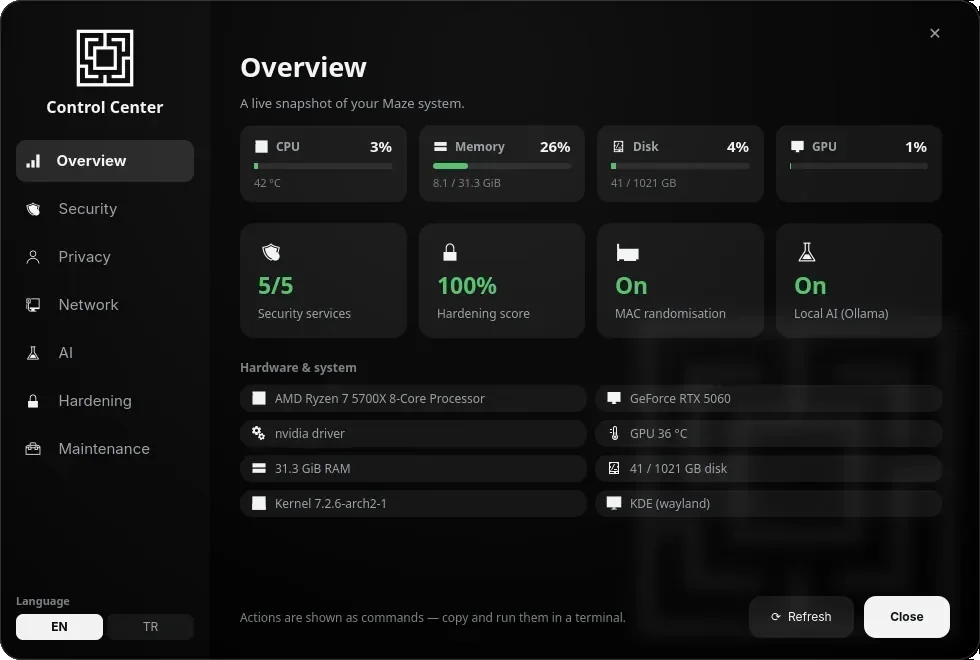
maze-control-center | Control Center GUI. |
maze-welcome | The welcome app shown on first login. |
maze-flatpak-setup | Adds Flathub on the first boot with internet. |
maze-gpu-driver | Installs and configures the proprietary NVIDIA driver (opt-in). |
maze-power-saver | Battery-life tuning that works alongside power-profiles-daemon. --check reports only, --uninstall reverts. |
maze-primary-screen | Picks the highest-resolution monitor as primary on first login. |
maze-apply-wallpaper | Applies the Maze wallpaper to every screen (runs at login). |
maze-install-vmware | Installs VMware Workstation from the AUR (needs internet). |
maze-aur-setup | Finishes the installation if the installer could not reach the network (ONLYOFFICE and the other AUR apps). |
maze-connect-approvers | Manages approving sudo/polkit prompts from your phone — see Maze Connect. |