Secure Boot
Maze Linux supports UEFI Secure Boot on both the live ISO and the installed system. It uses a Microsoft-signed shim that chainloads a Maze-signed boot loader and kernel, with the Maze certificate enrolled once as a MOK (Machine Owner Key). Your existing factory and Windows keys are kept — you never have to put the firmware into Setup Mode.
firmware → shim (Microsoft-signed) → grubx64.efi (Maze-signed UKI: kernel + initramfs + cmdline)
There are two separate moments where you enroll the key, and each only has to be done once:
No password. Enrollment is protected by physical presence — you confirm it at the firmware-level MokManager screen on the next boot — so there is no Secure Boot password to set or remember.
Requirements
- A computer in UEFI mode (not legacy BIOS/CSM).
- Secure Boot enabled in firmware (it can stay in the normal "User Mode" with the factory keys present — no Setup Mode needed).
- For VM testing: writable OVMF firmware + vars copies (see Testing in a VM).
1. Booting the live ISO with Secure Boot
The live ISO is signed at build time with the shared Maze ISO key. The first time you boot it with Secure Boot on, you enroll that key:
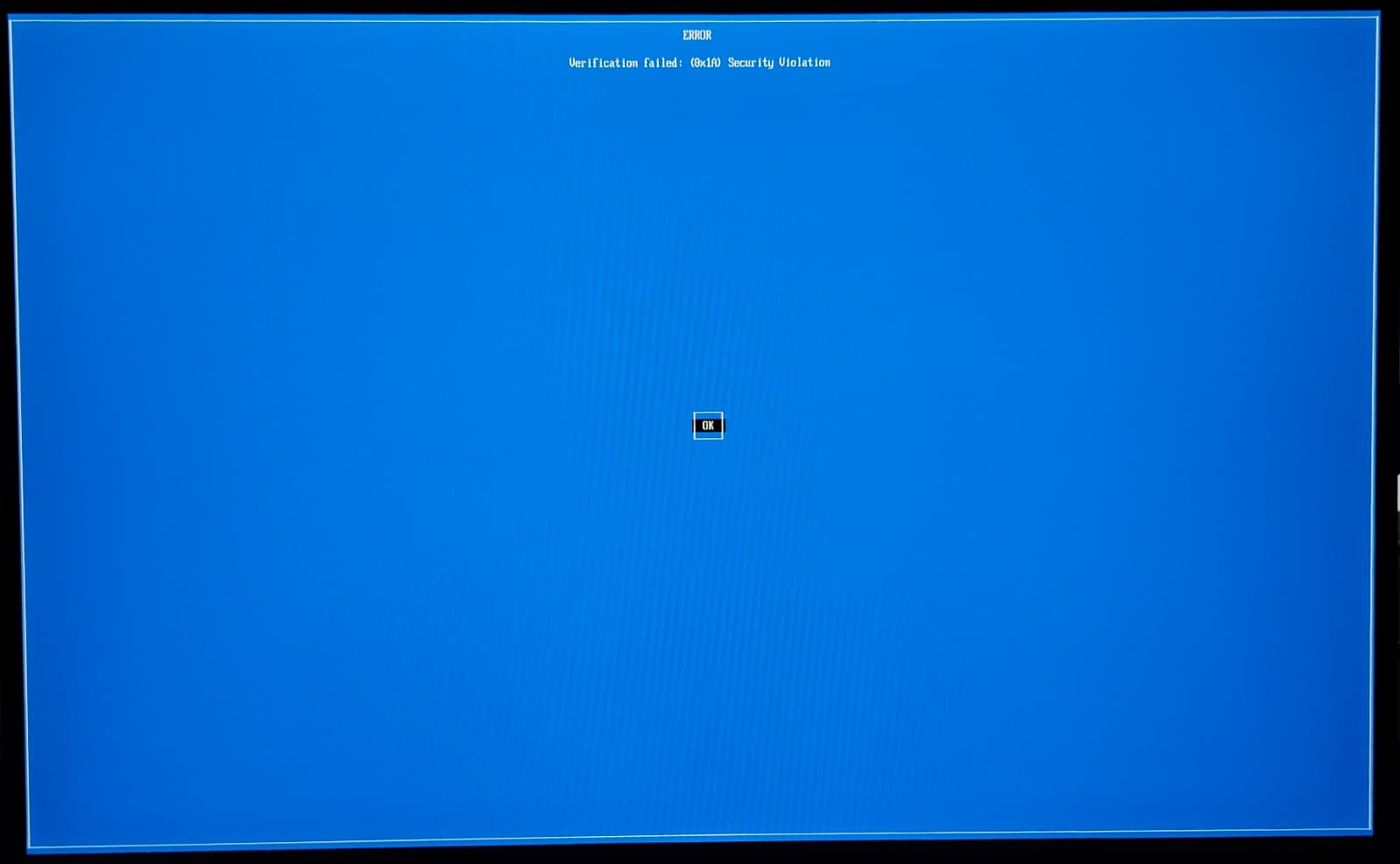
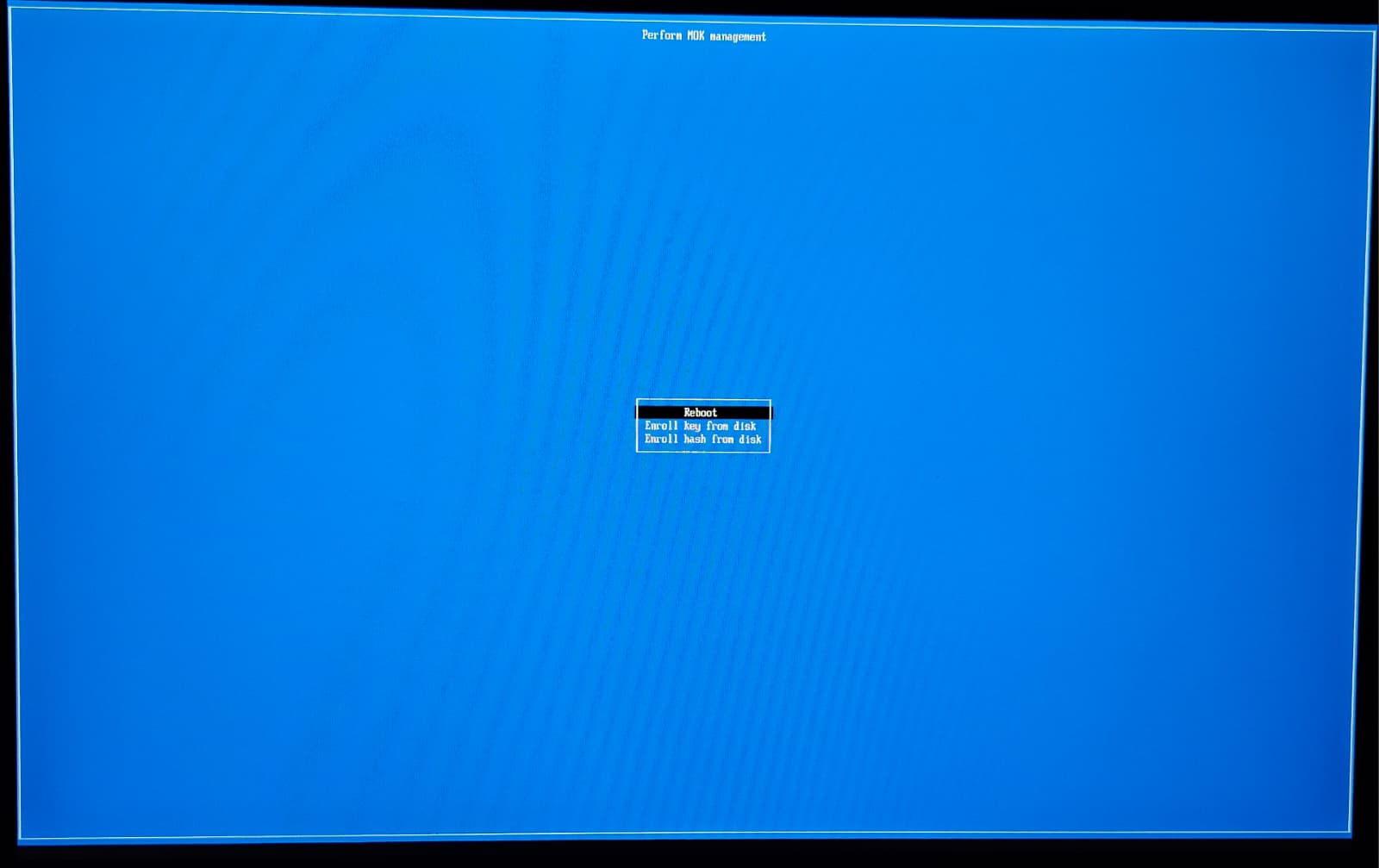
- Boot the ISO. A blue "Verification failed" / MOK Management screen (MokManager) appears because the loader is not trusted yet.
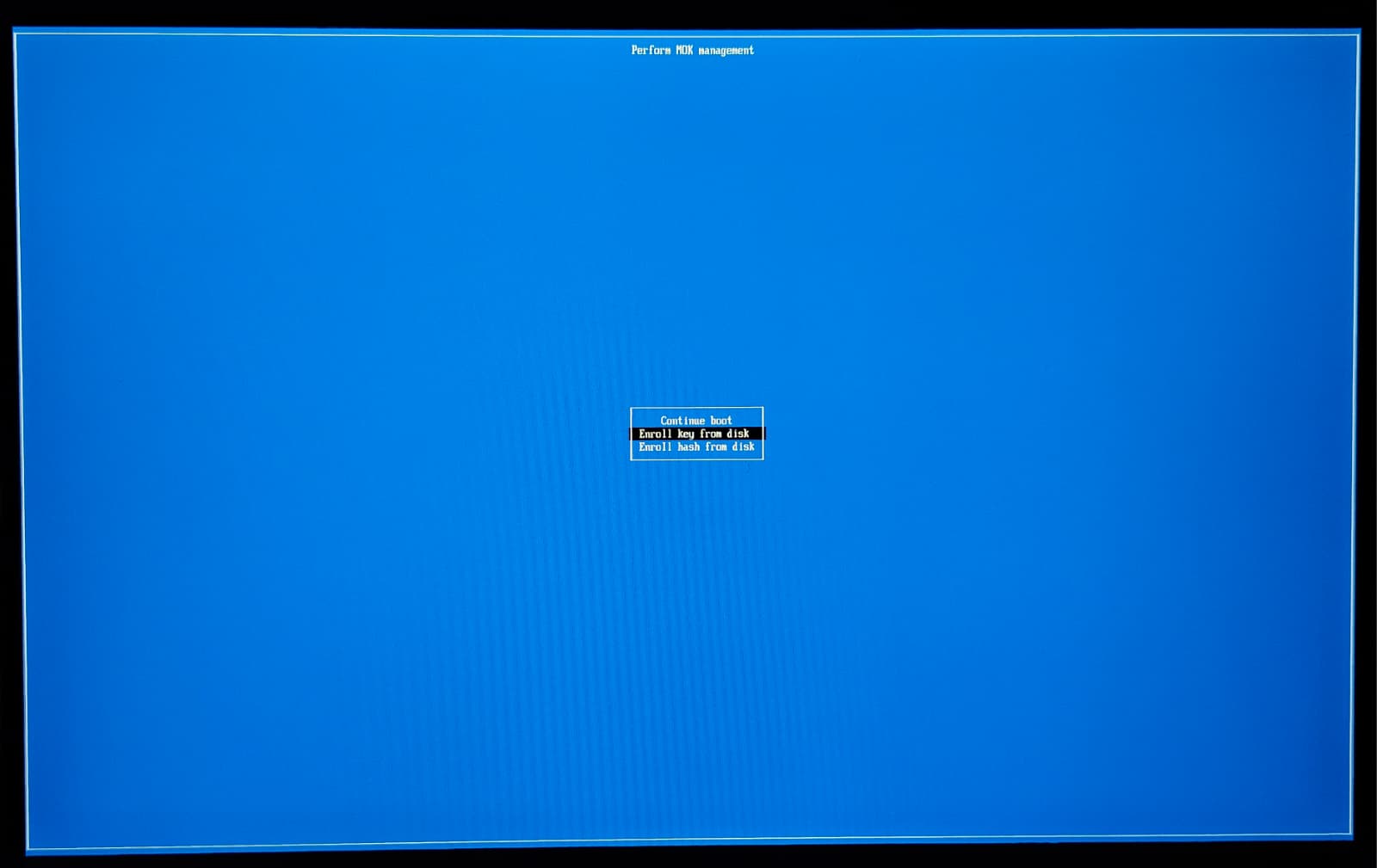
- Choose Enroll key from disk.
- Select the ISO's EFI system partition (
MAZE_EFI), then the fileMOK.cer. - Continue → Yes to enroll the key.
- Reboot. The live session now boots normally with Secure Boot active.
Not sure what you are looking at? Every screen, in order:
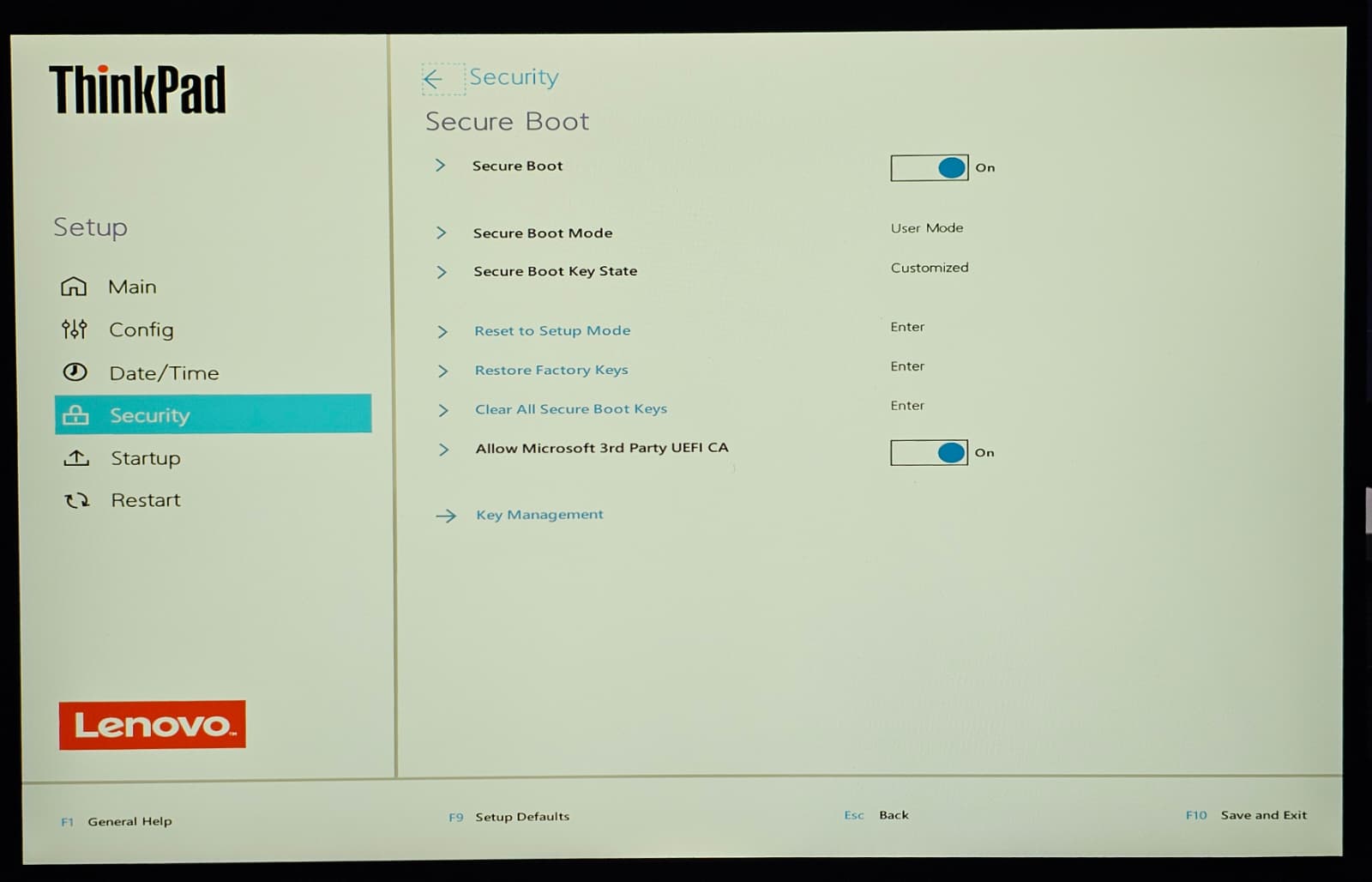
- Leave Secure Boot on in your firmware — Secure Boot On, mode User Mode. On Lenovo and other Secured-core laptops also make sure Allow Microsoft 3rd Party UEFI CA is On — the shim is signed with that key. Do not reset to Setup Mode or clear the keys.
- "Verification failed: (0x1A) Security Violation" — Expected on the very first boot — the firmware does not know Maze's key yet. Nothing is broken. Press Enter on OK.
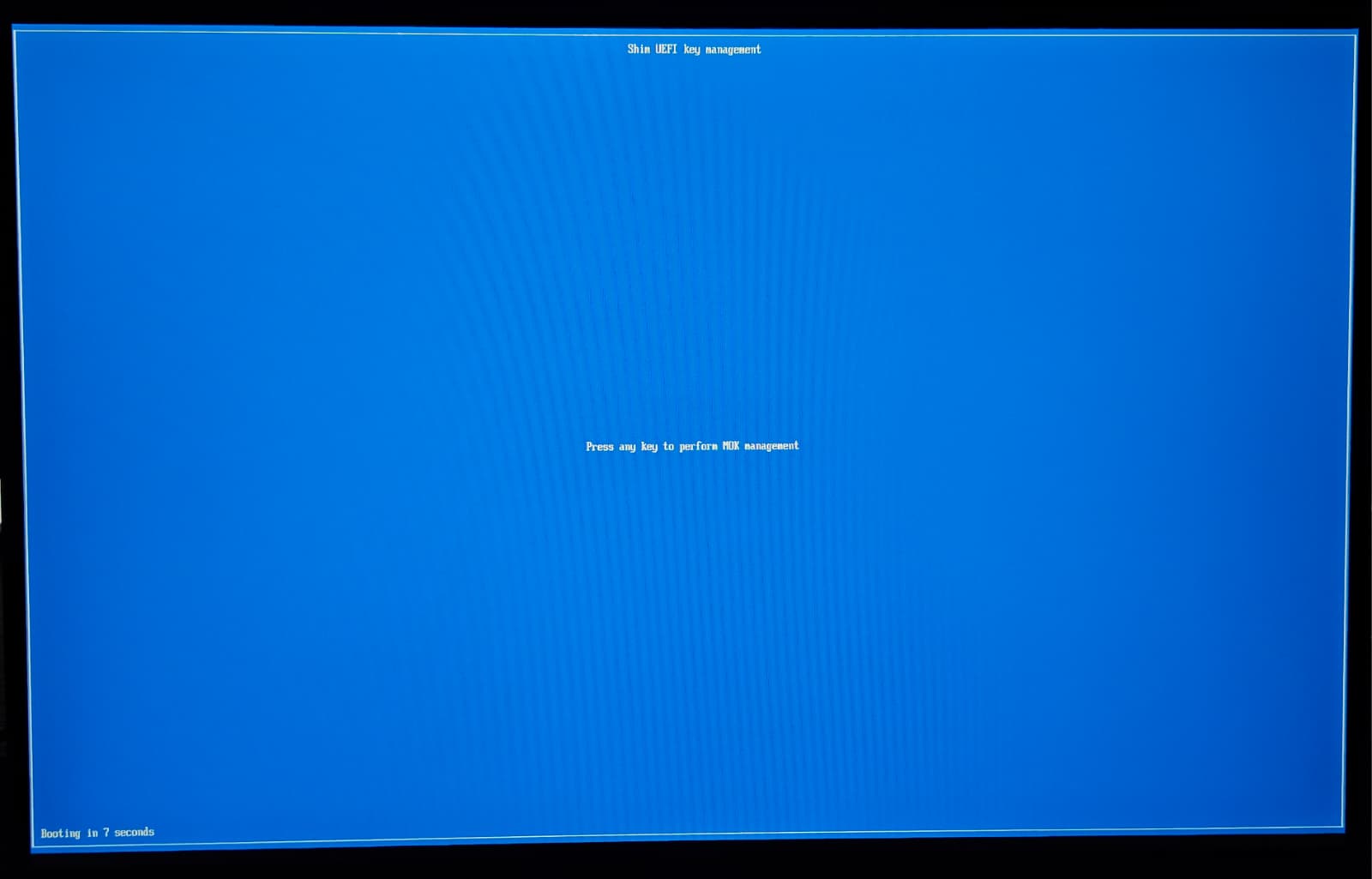
- Press any key — quickly — "Press any key to perform MOK management" counts down for about 10 seconds. Press a key before it runs out. If you miss it, just reboot and it comes back.
- Choose "Enroll key from disk" — Use the arrow keys and Enter. Not "Continue boot", not "Enroll hash from disk".
- Select the EFI volume — Pick the small EFI system partition — on the live USB it is labelled MAZE_EFI.
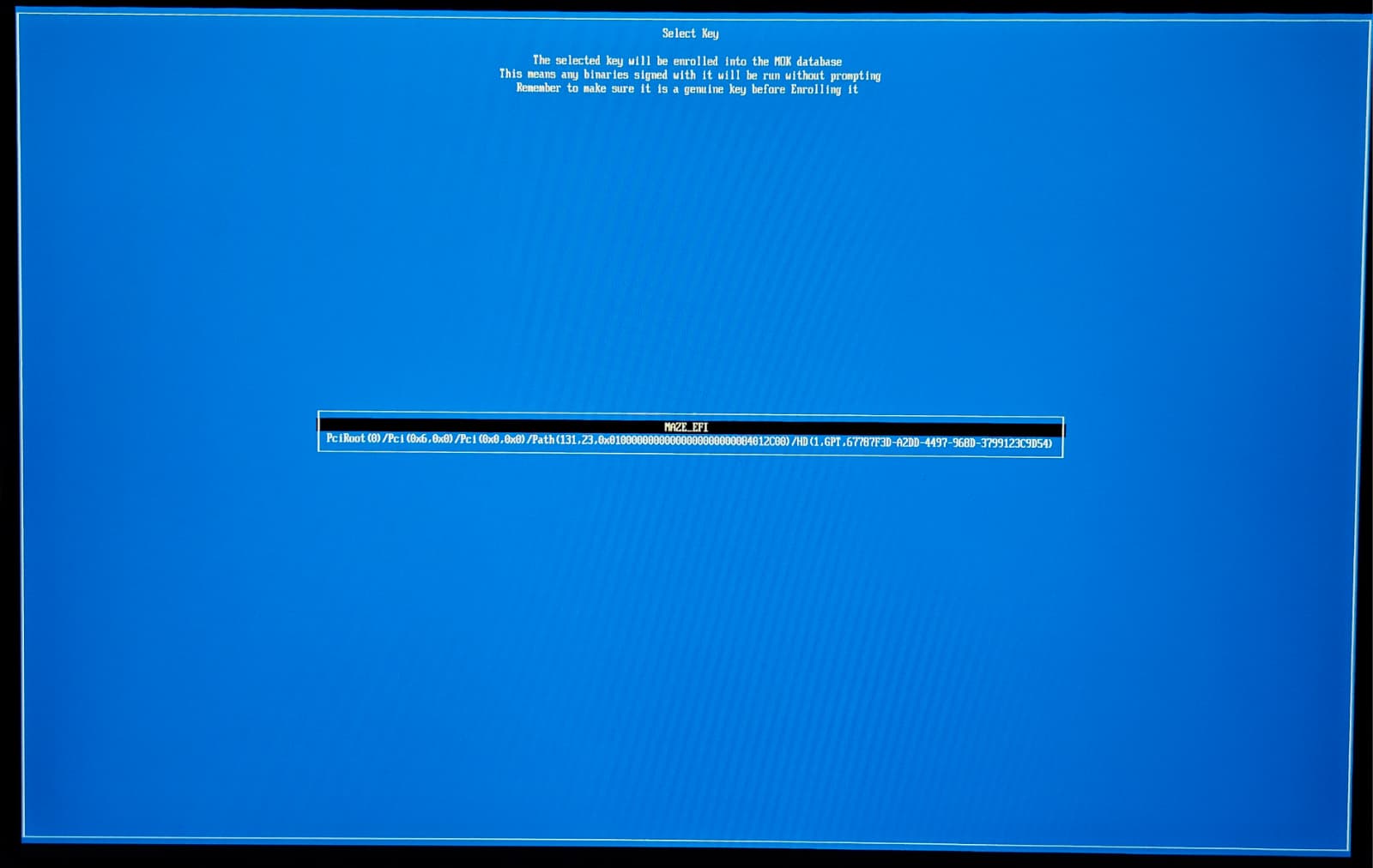
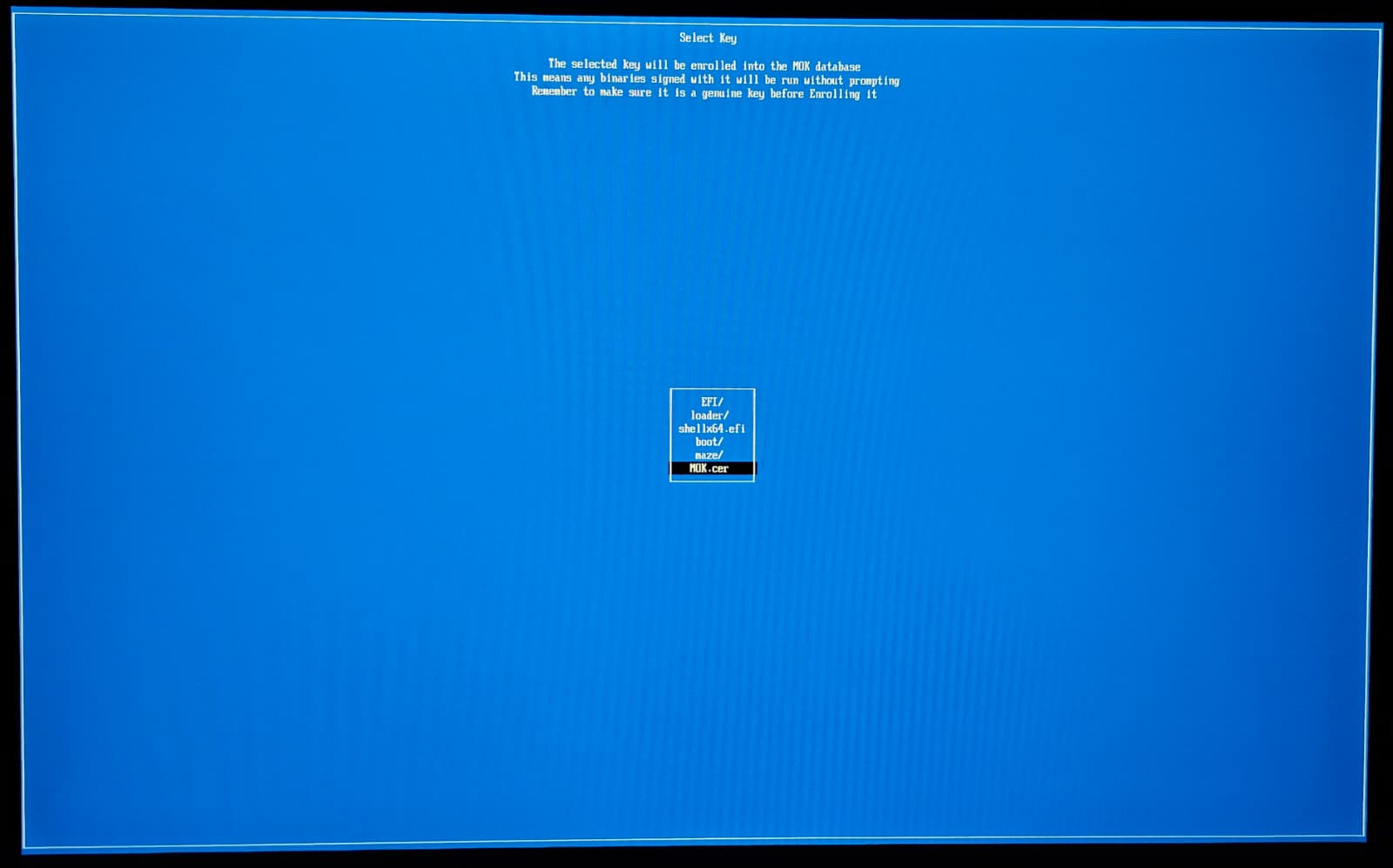
- Select MOK.cer — The file MOK.cer sits at the root of that volume, below the folders.
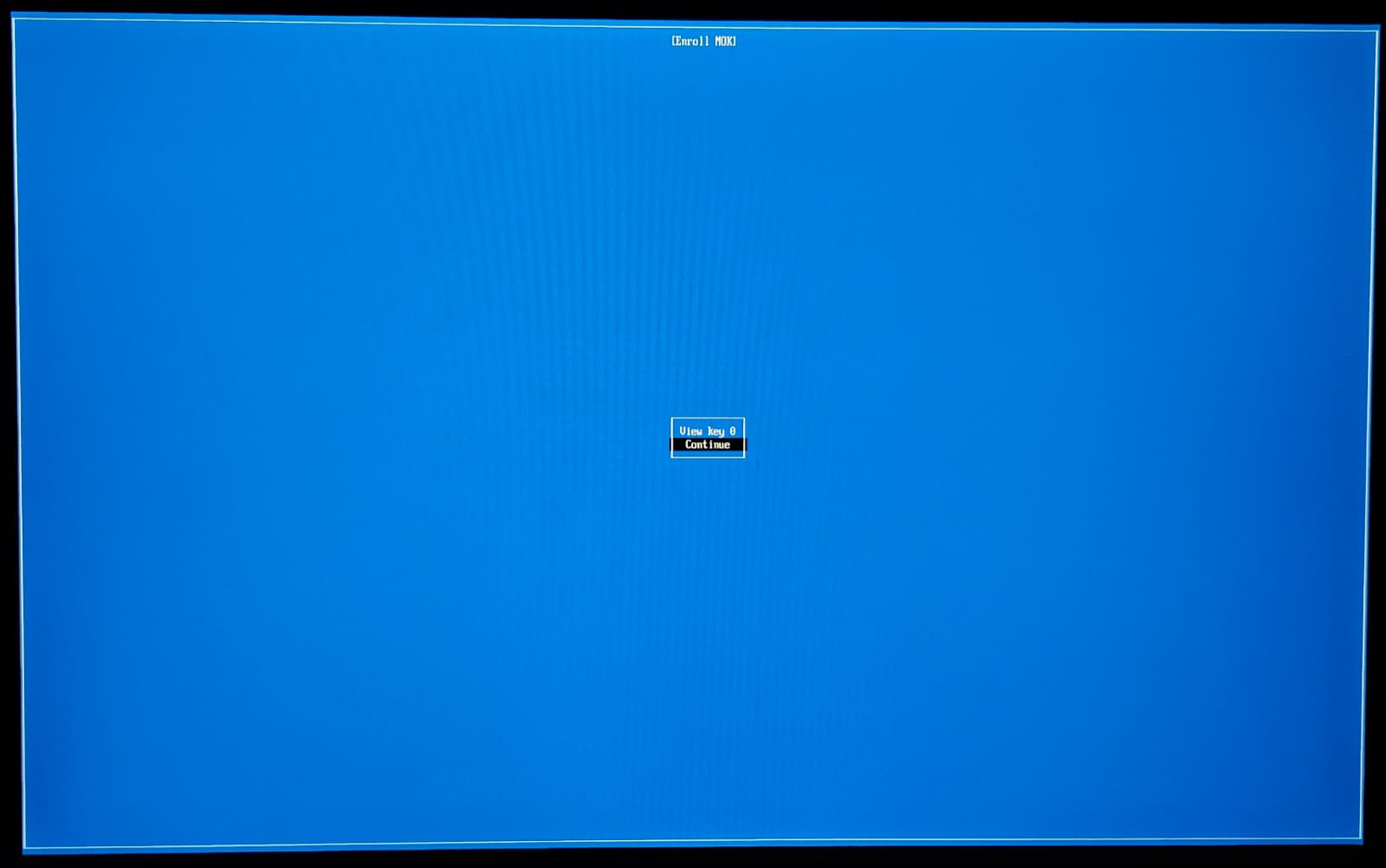
- Choose "Continue" — "View key 0" only shows the certificate details — you can skip it.
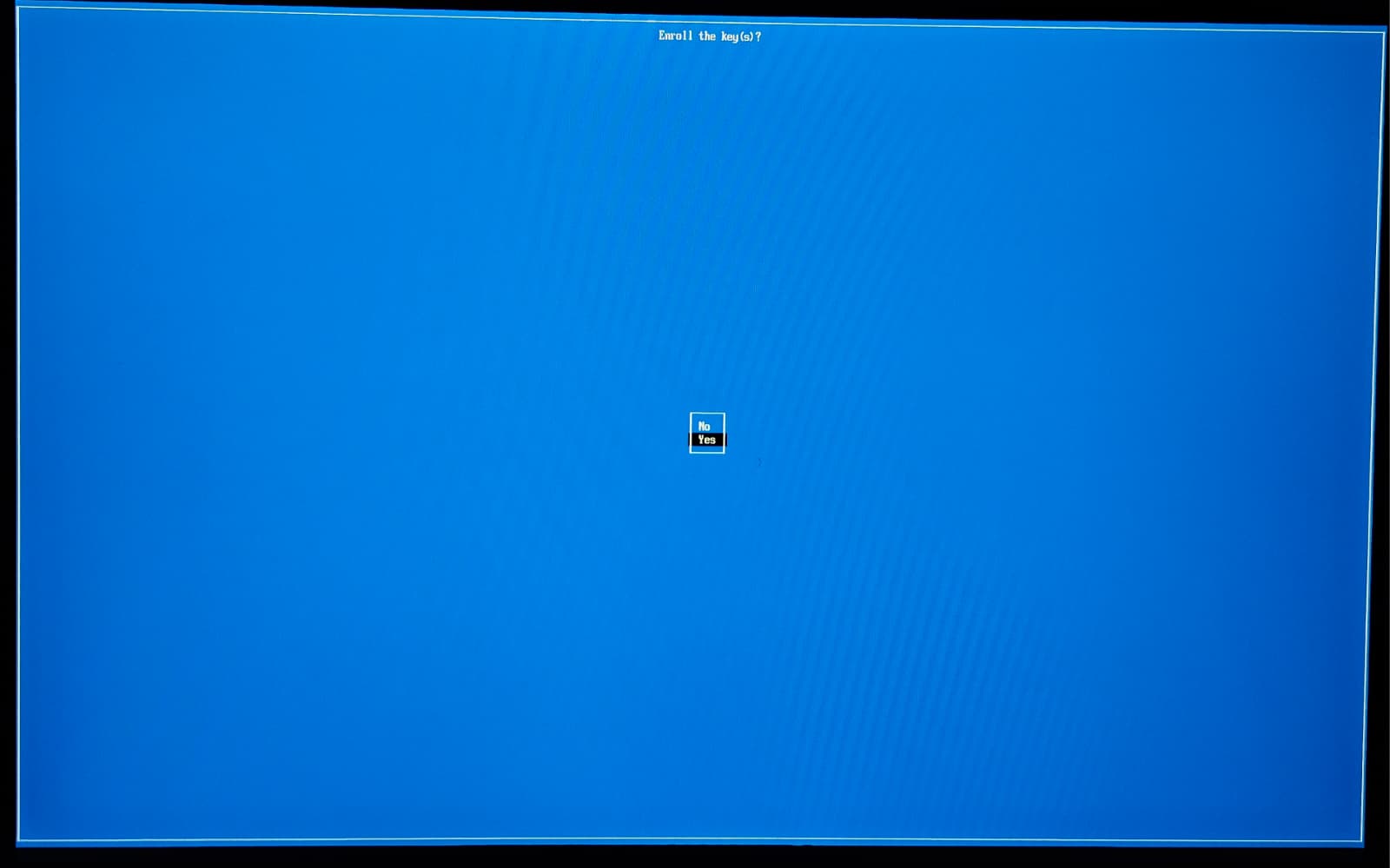
- "Enroll the key(s)?" → Yes — Select Yes. No password is asked — being at the machine is the approval.
- Choose "Reboot" — Done. From now on the system boots normally with Secure Boot active, and you never repeat this.
Verify inside the live session:
mokutil --sb-state # → "SecureBoot enabled"
grubx64.efiis not GRUB. Maze does not use GRUB at all. Shim always chainloads a file with that exact name, so Maze installs its signed Unified Kernel Image under it. The UKI already contains the kernel, the initramfs and the kernel command line — which is why there is no boot menu and no bootloader config to edit.
If you would rather not enroll, just disable Secure Boot in firmware — the ISO boots normally either way.
2. After installation (first boot of the installed system)
The installer always sets up the signed boot chain — there is no option to turn it off. It:
- generates a per-machine key — its private half never leaves that computer;
- signs the Unified Kernel Image (UKI) and installs it as
grubx64.efi; - copies the certificate to the EFI system partition as
/MOK.cer(and keeps a copy at/var/lib/maze-secureboot/);
MOK.cervsMOK.crt— same key, two encodings.MOK.cer(DER) is the one you enroll in firmware;MOK.crt(PEM, in/var/lib/maze-secureboot/) is the one used for signing and bymaze-boot-check.
- installs a pacman hook that re-signs the boot loader and kernel automatically after every kernel / initramfs update.
On the first reboot the new boot loader is not trusted yet, so MokManager appears again — the same screens as above. Enroll the machine's own key once:
- On the blue MOK Management screen, choose Enroll key from disk.
- Select the EFI system partition volume, then the file
MOK.cer. - Continue → Yes to enroll.
- Reboot — the system now boots normally with Secure Boot enabled.
A copy of these instructions is written to the installed system at:
/var/lib/maze-secureboot/ENROLLMENT.txt
Verify after logging in:
mokutil --sb-state # → "SecureBoot enabled"
Kernel & system updates
Nothing to do. The pacman hook (maze-sb-sign) runs after any transaction that
touches the kernel or initramfs/UKI, so updates stay signed and
the machine keeps booting with Secure Boot on. You do not re-enroll after
updates — the key is already trusted.
Testing in a VM
Use writable OVMF code + vars copies so the enrolled key survives reboots:
cp /usr/share/edk2/x64/OVMF_CODE.secboot.4m.fd /tmp/code.fd
cp /usr/share/edk2/x64/OVMF_VARS.4m.fd /tmp/vars.fd

qemu-system-x86_64 -m 4096 -enable-kvm \
    -machine q35,smm=on -global driver=cfi.pflash01,property=secure,value=on \
    -drive if=pflash,format=raw,unit=0,file=/tmp/code.fd,readonly=on \
    -drive if=pflash,format=raw,unit=1,file=/tmp/vars.fd \
    -cdrom out/mazelinux-*.iso -boot d
After installing into the VM disk, boot without -cdrom and complete the
first-boot enrollment.
Troubleshooting
MokManager doesn't appear / it boots straight to "Verification failed" and stops. Your firmware may not be showing the prompt. Reboot once more; on most machines the shim shows the blue screen on the next attempt. Make sure Secure Boot is in normal User Mode, not disabled.
"Enroll key from disk" can't find MOK.cer. Pick the EFI system
partition volume (the small FAT partition), not the root filesystem. The file
is at the root of that partition.
System won't boot after a manual kernel change. Re-sign by hand from a working environment (live ISO chroot or the installed system), pointing the signer at the mounted EFI system partition:
maze-sb-sign /boot # or wherever the ESP is mounted
Check what is signed:
sbverify --list /boot/EFI/BOOT/grubx64.efi   # adjust path to your loader
mokutil --list-enrolled                       # confirm the Maze key is enrolled
Turning Secure Boot off
Disable Secure Boot in your firmware setup. The installed system and the live ISO both boot normally with it off.
How it's built (for maintainers)
- ISO key lives in
keys/secureboot/(generated once bytools/gen-sb-keys.sh).build.shpatchesmkarchisoto inject the shim and sign systemd-boot + the kernel onto the ISO'sefiboot.img. - The installer's signer and pacman hook are defined in
airootfs/usr/share/maze/install/deploy-to-target.sh(maze-sb-sign, the pacman hook, and the enrollment note). maze-sb-signtakes the ESP mountpoint as its first argument; it must be explicit becausebootctlis unreliable inside the install chroot.