Maze Guard
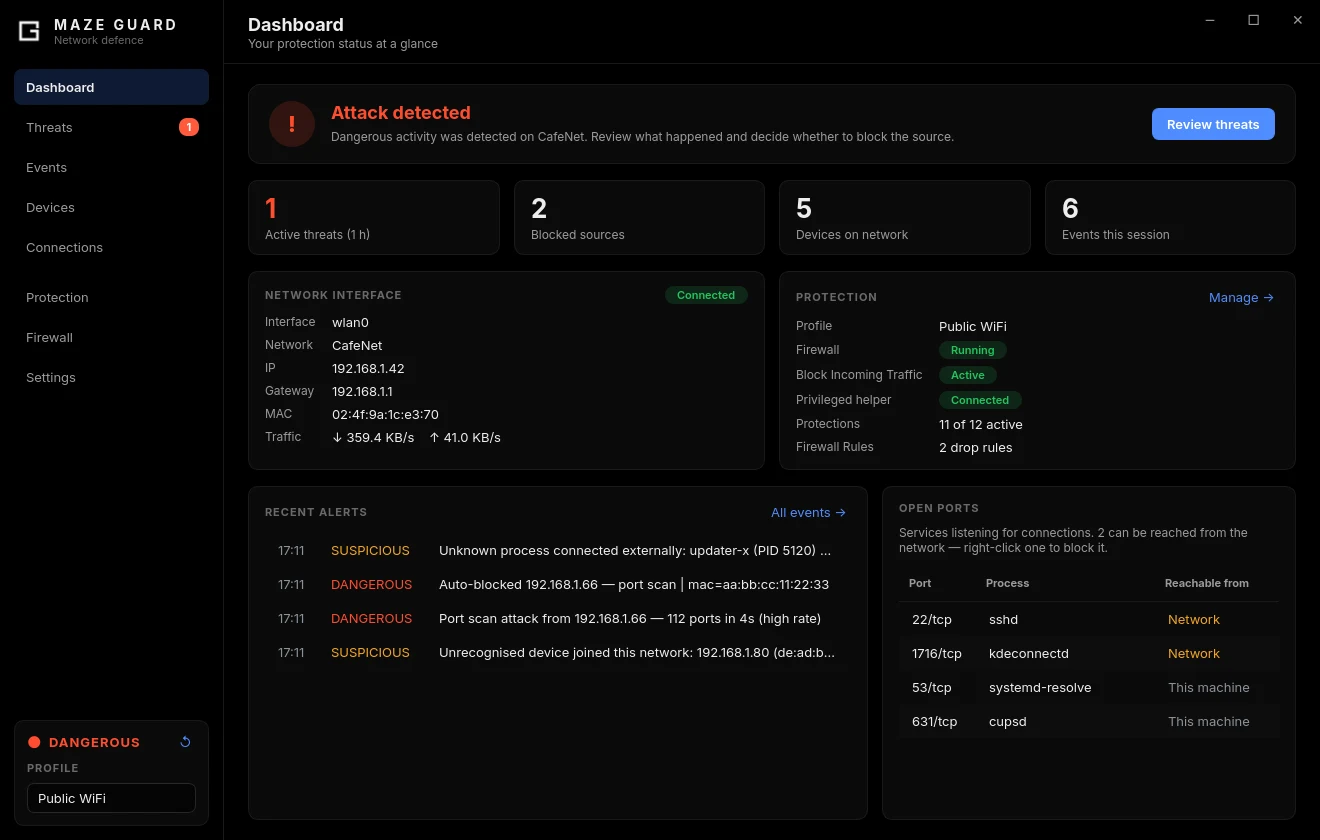
Maze Guard is Maze Linux's public Wi-Fi security monitor — a PyQt6 desktop
app backed by a small root helper, maze-guard.service. It watches the network
you are connected to and tells you when something on it is attacking you —
and which device it was.
What it detects
| Module | What it catches |
|---|---|
| ARP watcher | ARP spoofing, a gateway whose MAC or IP suddenly changes — the usual mechanism behind man-in-the-middle on a local network |
| Port-scan detector | SYN sweeps and FIN/NULL/XMAS stealth probes, with the ports, rate and duration |
| Anomaly & correlation | Host-discovery storms, ping sweeps, rogue DHCP servers, one MAC claiming many IPs — and links separate detections from one source into a single attack |
| DNS validator | DNS poisoning (answers are cross-checked against three DNS-over-HTTPS resolvers) |
| DNS leak preventer | Plain DNS escaping your VPN tunnel, or going to a resolver you never configured |
| TLS monitor | Certificate changes on canary hosts |
| HTTPS downgrade detector | Plain HTTP to a host that served you HTTPS earlier |
| Rogue AP detector | Evil-twin access points (a new BSSID for your SSID), ICMP-redirect exposure |
| IPv6 router watch | Forged Router Advertisements — the IPv6 MITM |
| Process monitor | Unknown programs making external connections |
| Device inventory | A device that has never been on this network before |
What it does about it
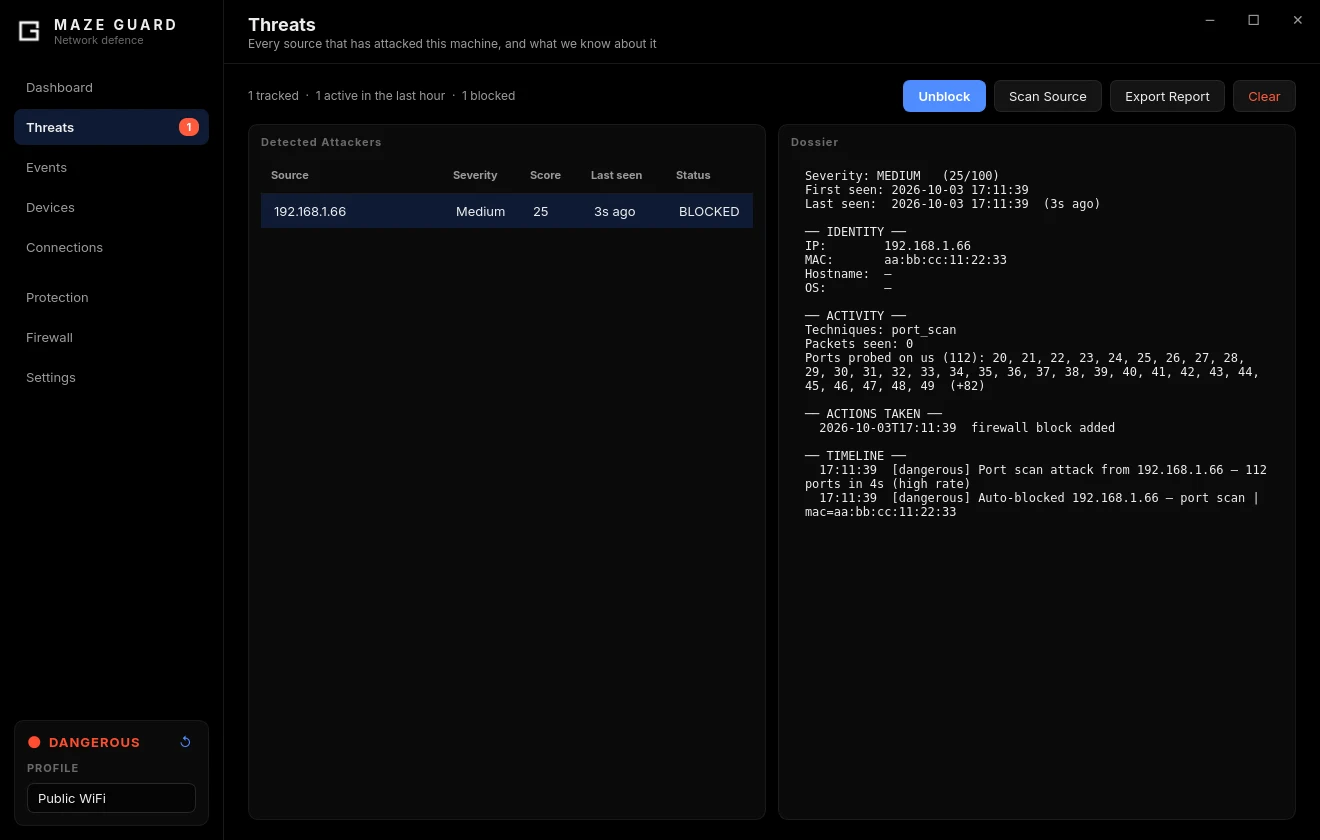
- One dossier per attacker — MAC, vendor, hostname, guessed OS, ports it
probed, everything it did and what Maze Guard did about it. Exportable as a
Markdown incident report; records are kept in
~/.local/share/maze-guard/. - Blocking through firewalld — confirmed attackers are blocked
automatically (switchable in Settings), by IP and MAC so a new DHCP lease
does not get them around it. Blocks are
droprules only and never touch your outbound traffic. - Protection switches — inbound shield (zone
DROP), hostname hiding (stops Avahi/mDNS), TCP fingerprint normalisation, and blocking of discovery services (mDNS, LLMNR, NetBIOS, SMB, SSDP, WS-Discovery).
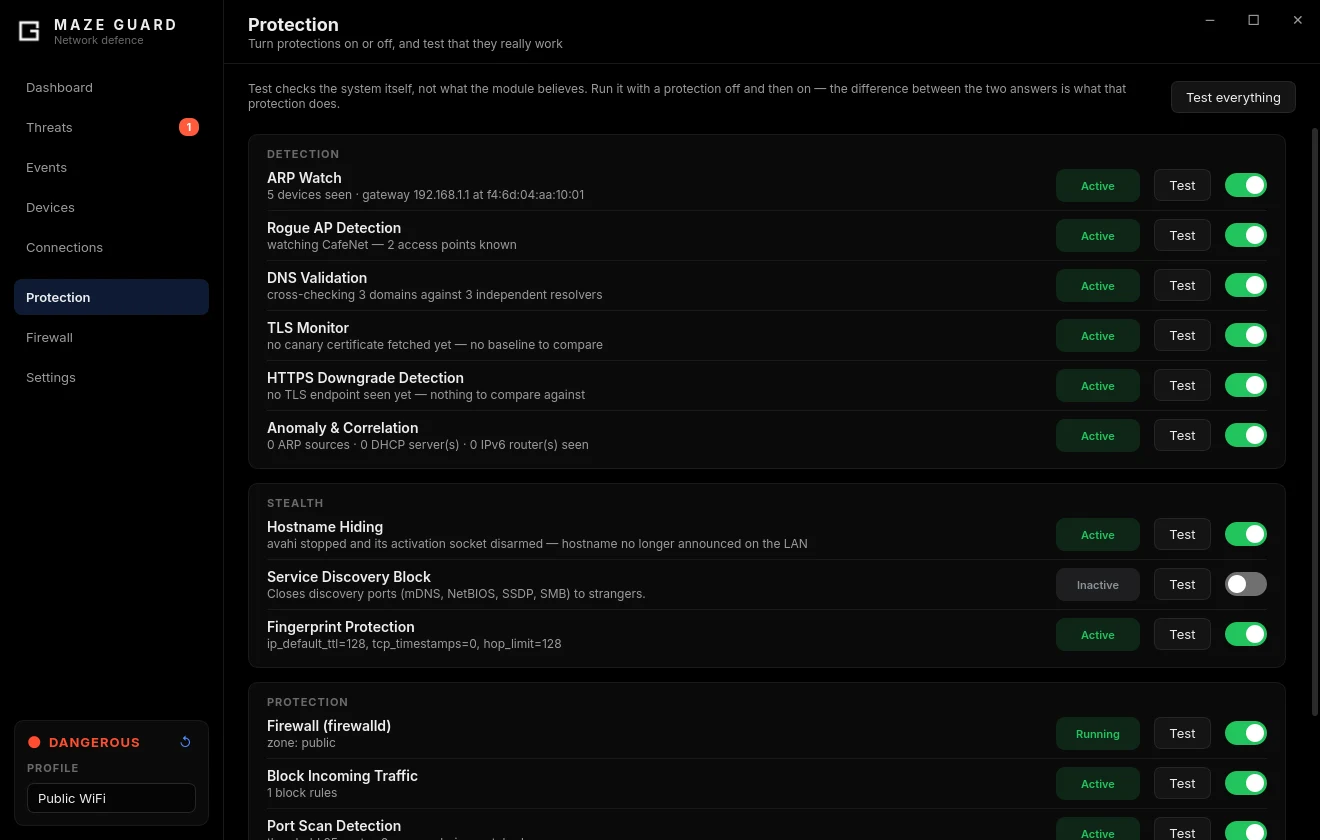
Every switch on the Protection page has a Test button that asks the system — firewalld, the kernel, a live socket — what is actually true right now.
Profiles
Passive detection runs in every profile; the profile decides the rest.
| Profile | Adds |
|---|---|
| Home | DNS validation, port-scan detection, process monitor; raises the inbound shield |
| Public WiFi | Home + hostname hiding + fingerprint protection |
| Paranoid / Secure | Public + service-discovery blocking |
| Manual | Nothing beyond passive detection — switch modules on yourself |
Switch from the sidebar or the tray menu. Automatic switching by network (trusted → Home, anything else → Public) is available in Settings and is off by default. The first launch asks four questions: which interface to watch, whether this network is trusted, whether to block attackers automatically, and whether to start at login.
Devices
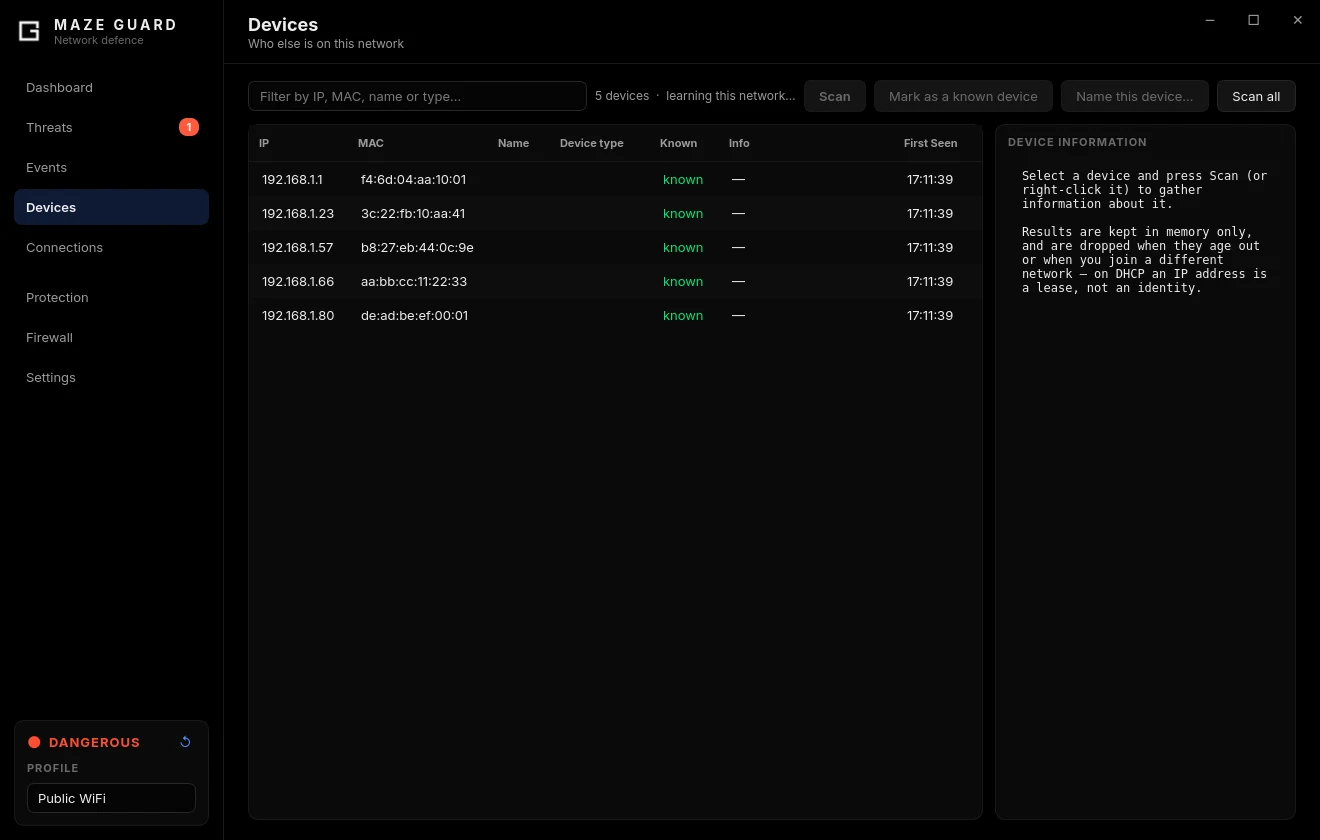
Every device on the current network, keyed by MAC and remembered per network: name a device once and it stays named; mark it known and it stops being flagged. Scans run at three depths (Quick, Standard, Thorough) and only ever against private, on-link addresses.
Running it
The GUI starts hidden in the system tray at every login; click the tray icon to open it. It runs as your user and never needs a password to add protection — only to lower it (stop the firewall, remove a block) or to block a whole range or your own gateway.
systemctl status maze-guard     # the root helper
maze-guard --doctor             # tests every feature, prints PASS/WARN/FAIL with fixes
Settings live in ~/.config/maze/config.json, the event log in
~/.config/maze/maze.log.
If the window says Limited mode, your session cannot reach the helper yet — usually because your user was just added to the
mazegroup. Log out and back in once.
Not to be confused with
maze-guardd. That is a different daemon frommaze-tools: the broker behind the kill switches and panic mode.
When it matters most
Maze Guard is aimed squarely at untrusted networks: airports, hotels, cafés, conferences, campus Wi-Fi. On your own home network it will usually stay quiet.
That is the point — it is the layer that assumes the network is hostile, which none of the other layers in Maze do.
Limits
Maze Guard watches the network, not your processes. Malware already running on your machine is a different problem — see Known Limitations for what each layer does and does not cover.
Screenshots use invented example data.