Kernel Management
Maze always keeps two kernels installed:
| Kernel | Role |
|---|---|
linux | Current Arch kernel — the one you normally boot |
linux-lts | Long-term-support kernel — kept for recovery |
When a bad update arrives, the second kernel is already installed, built and signed. You do not have to download or repair anything to get back in — you pick it from the boot menu. See If the System Won't Boot.
Both kernels are sealed into signed Unified Kernel Images, so both boot with Secure Boot enabled.
Checking what is installed
pacman -Q linux linux-lts
Choosing the default kernel
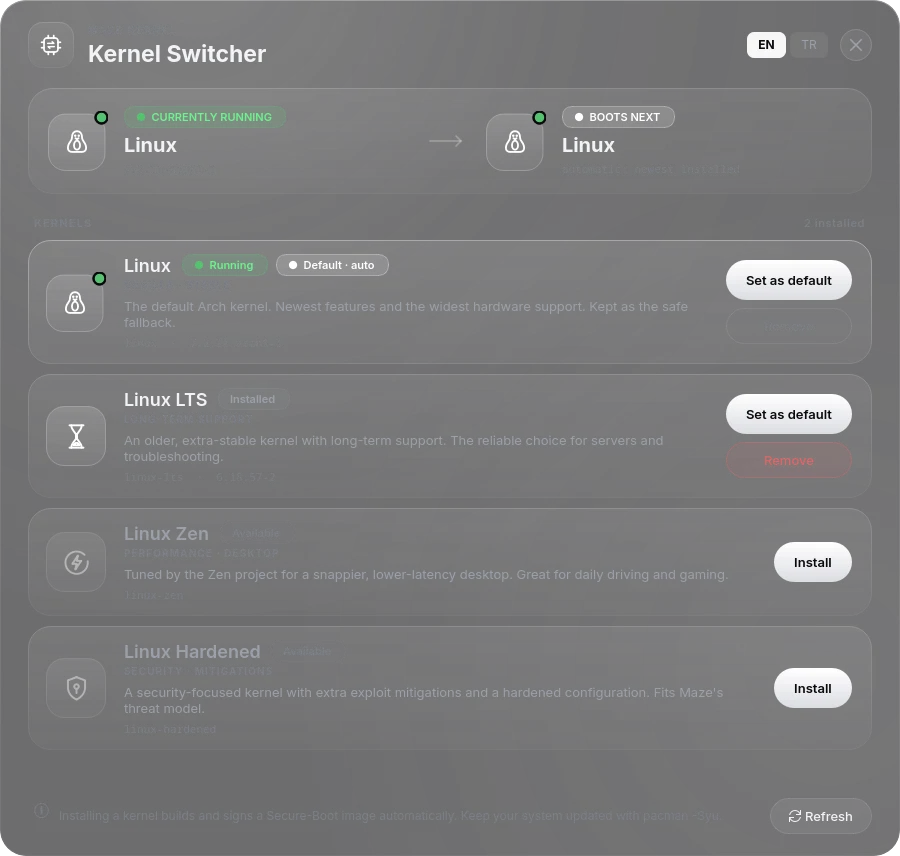
Graphical: Maze Kernel Switcher (maze-kernel), in the application menu.
It can also install or remove the other supported kernels — linux-zen and
linux-hardened — and asks for your administrator password for every change.
From a terminal:
sudo maze-kernel-helper set-default linux-lts   # the GUI normally does this for you
sudo maze-kernel-helper clear-default           # back to "newest mainline kernel"
The choice is stored in /etc/maze/kernel-default and survives updates — Maze
will not silently switch you back. Without a pinned choice, the newest installed
mainline kernel is the default and linux-lts is the recovery entry.
Why the ESP needs room
Each kernel is stored as a single signed image of roughly 90 MB. The ESP
holds one per installed kernel (EFI/Linux/), the boot copy (EFI/BOOT/grubx64.efi),
the recovery copy (EFI/maze-recovery/) and the previous image as a fallback
(grubx64.efi.maze-prev). If space runs short Maze drops the recovery copy
first rather than risk a failed update. A 512 MB EFI System
Partition is tight; 1 GB or more is comfortable. If your ESP is too small,
maze-boot-check will say so rather than failing silently at the next update.
See also: Updating · Secure Boot · Diagnostics
Prefer the GUI.
maze-kernel-helperis the privileged backend that the Kernel Switcher calls throughpkexec. Running it directly works, but the supported path ismaze-kernel.